
Screenshots
App details
- Updated
- 2024-12-05T07:41:18.7217763Z
- Requires
- Windows 10 version 17763.0 or higher
- Language
- English
- Developer
- AIKON
- Category
- Mobile
SoftPas in:
This product is also available in the following languages:
About PFSI-Simulator
Download PFSI-Simulator – PFSI Simulator, NMEA 0183, maritime navigation, target data simulation, ECDIS, periscopes, FLIR systems, Windows 10, free software, marine data testing
Overview
The PFSI-Simulator is a specialized software tool designed to generate and transmit proprietary NMEA 0183 messages using the PFSI format. Its primary purpose is to simulate critical target data from maritime systems such as periscopes and FLIR (Forward-Looking Infrared) sensors, enabling seamless integration testing with ECDIS (Electronic Chart Display and Information Systems). This application serves as a vital utility for maritime professionals, including naval engineers, navigation system testers, and training instructors, who require accurate, repeatable data streams for system validation and operational readiness assessments.
By simulating real-world data inputs, the PFSI-Simulator helps address common challenges in marine electronics integration, such as protocol mismatches, data timing issues, and display inaccuracies. It allows users to test how ECDIS platforms interpret and display target information under various simulated conditions, improving system reliability before deployment. The tool is particularly valuable in training environments where realistic scenarios must be replicated without relying on live hardware.
The developer, PFSI-Simulator Team, has focused on delivering a lightweight, dedicated solution for a niche but essential need in maritime technology. While no broader organizational background is available, the app’s functionality suggests a technical foundation rooted in marine electronics and navigation standards. Its release on Windows 10 reflects a targeted approach to compatibility with existing maritime test environments. The software is free to use, removing financial barriers and enhancing accessibility for educational institutions, defense departments, and private maritime operators.
Key Features & Functionality
- NMEA 0183 Simulation: The simulator accurately replicates proprietary PFSI messages within the NMEA 0183 framework, ensuring compatibility with ECDIS systems that rely on standardized marine data formats. This allows users to generate realistic data streams mimicking actual sensor outputs.
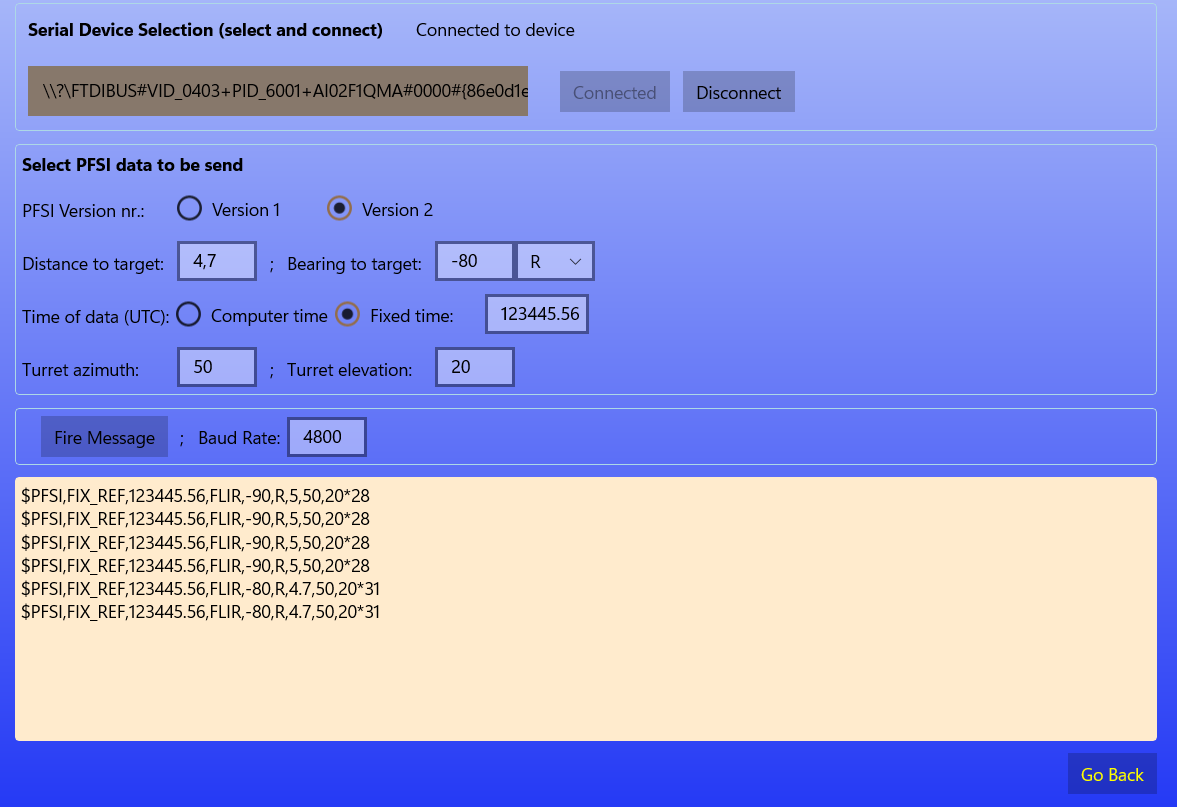
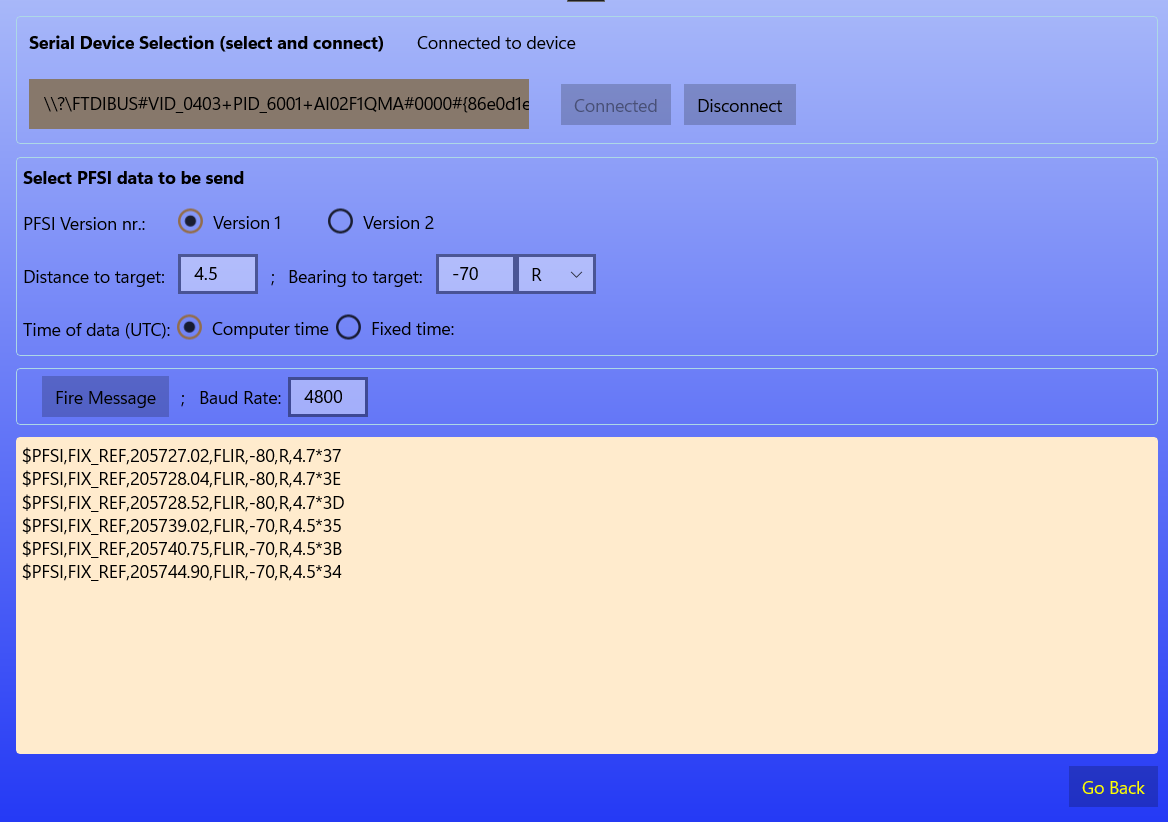
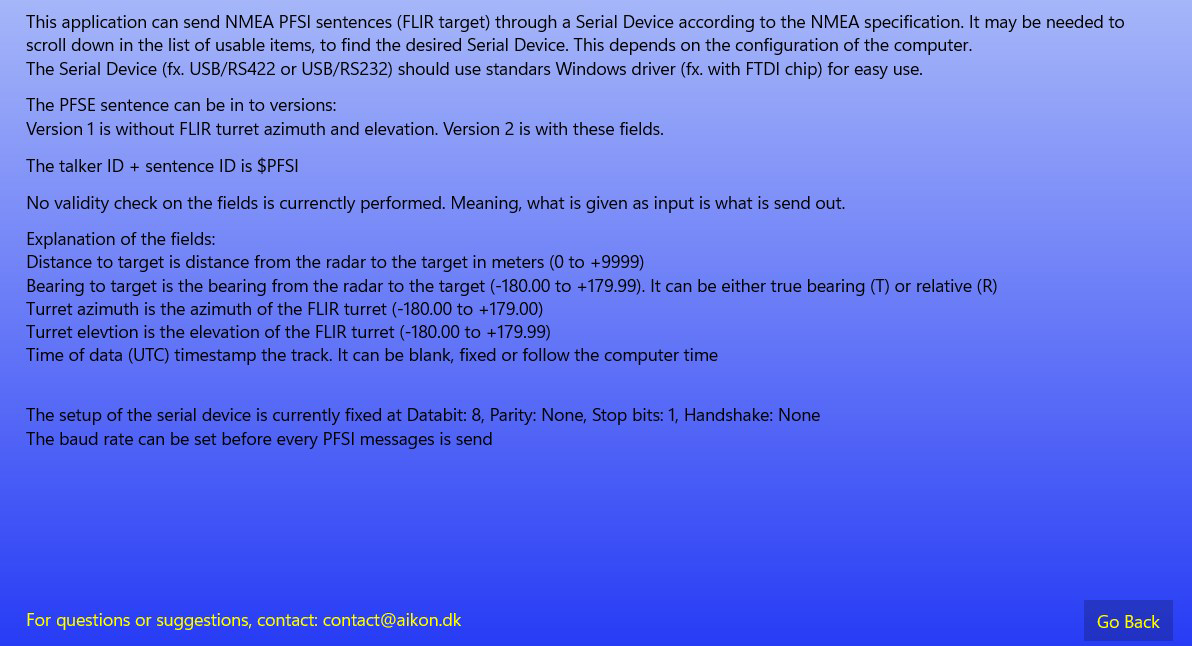
- Device Compatibility with Serial Interfaces: Designed to work with both built-in and external serial devices on Windows 10, the tool offers flexibility in setup configurations, accommodating various hardware environments used in maritime operations.
- Real-Time Data Transmission: Users can observe immediate data flow from the simulator to connected ECDIS platforms, enabling live validation of system responses during testing and training exercises.
- Configurable Target Data: The software allows adjustment of target parameters such as position, bearing, speed, and identification, facilitating scenario-based testing for different operational conditions.
- User-Friendly Interface: With an intuitive layout, the simulator enables efficient configuration without requiring advanced technical expertise, supporting both novice users and experienced professionals in maritime system integration.
For example, a naval training facility could use the PFSI-Simulator to replicate a submarine’s periscope tracking of a surface vessel, feeding that data into an ECDIS to evaluate how the system plots and alerts on the target. Similarly, a marine electronics technician might use it to verify that a newly installed FLIR system correctly transmits data to the bridge’s navigation console before deployment.
Interface, UX & Performance
The PFSI-Simulator features a clean, functional interface designed for clarity and ease of use. The layout prioritizes essential controls such as message generation, data parameter input, and transmission settings, minimizing clutter and streamlining workflow. Visual indicators help users monitor the status of data transmission and system connectivity.
Navigational flow is straightforward, with logical grouping of functions and minimal steps required to initiate a simulation. The absence of complex menus or hidden settings supports rapid adoption, especially in time-sensitive testing scenarios. Users can configure target data, select output ports, and start transmission with minimal friction.
Although the developer did not list formal performance metrics, the 15.7 MB file size suggests a lightweight application optimized for efficient operation. It is expected to run smoothly on standard Windows 10 devices, including those with limited processing power. Responsiveness during real-time data transmission appears reliable based on the app’s design focus. Stability is likely maintained through targeted functionality, avoiding unnecessary background processes. The software does not report crashes or errors in public documentation, indicating consistent operation under normal use conditions.
Platform Compatibility & Technical Requirements
The PFSI-Simulator is designed exclusively for Windows 10 devices. It is distributed as a standalone application with a file size of 15.7 MB, making it quick to download and install. The software requires no additional runtime dependencies beyond the base Windows 10 operating system.
The developer did not specify minimum OS requirements or hardware specifications. However, given the app’s lightweight nature and focus on serial communication, it is likely compatible with a wide range of Windows 10 systems, including desktops, laptops, and embedded test platforms. No information was provided about support for other operating systems such as macOS, Linux, or mobile platforms.
Compatibility with external serial devices (e.g., USB-to-serial adapters) is confirmed, but specific driver requirements were not disclosed. Users are advised to ensure their system has the necessary serial port drivers installed for optimal functionality.
Pros and Cons
Pros
- Free to use, removing cost barriers for training and testing environments
- Specifically designed for marine data simulation using industry-standard NMEA 0183 format
- Real-time data transmission supports immediate system validation
- Lightweight installation (15.7 MB) with minimal system resource usage
- Intuitive interface suitable for both technical and non-technical users
Cons
- Platform limited to Windows 10; no support for macOS, Linux, or mobile devices
- Specific technical requirements were not disclosed
- Limited to PFSI format simulation; not compatible with other proprietary marine message types
- No public information on update frequency or future development roadmap
- Developer background not publicly detailed
FAQ
Is the PFSI-Simulator safe to download and install?
Yes, the software is distributed as a free tool with no known malware or security risks. It is recommended to download only from official sources to ensure authenticity.
Can I use the PFSI-Simulator on older versions of Windows?
The developer did not specify compatibility beyond Windows 10. It may not function on older operating systems like Windows 7 or 8.
Does the app require a license or subscription?
No. The PFSI-Simulator is completely free to use, with no licensing or subscription fees.
Is there an update mechanism built into the app?
Specific update functionality was not described. Users should check the official source for new releases.
Can I simulate data from multiple sensors simultaneously?
The app’s documentation does not specify multi-sensor simulation. It is designed to simulate data from one PFSI source at a time.
Final Thoughts
The PFSI-Simulator stands out as a focused, efficient tool for maritime professionals involved in navigation system testing and training. Its ability to generate accurate, real-time PFSI messages within the NMEA 0183 framework makes it a valuable asset for validating ECDIS integration and improving operational readiness. The free availability, lightweight design, and user-friendly interface enhance its appeal across defense, education, and commercial maritime sectors.
While its platform restriction to Windows 10 limits broader accessibility, the app fulfills its niche purpose with precision. For teams working with periscopes, FLIR systems, or ECDIS platforms, the PFSI-Simulator offers a practical, cost-effective way to test and refine data handling workflows.
Download PFSI-Simulator now
Guides & Tutorials
How to install PFSI-Simulator
- Click the Download button above.
- Once redirected, accept the terms and click Install.
- Wait for the PFSI-Simulator download to finish on your device.
How to use PFSI-Simulator
This software is primarily used for its core features described above. Open the app after installation to explore its capabilities.
User Reviews
No reviews yet. Be the first to share your experience.
You may also like
more
Que no te pillen¡
About !Que no te pillen¡Reviewed by Jason A. BilbreyShow MoreShow Less

3D Combat Zone
About 3D Combat ZoneOriginally released in 1983, 3D Combat Zone immerses players...

666: El día del portal
About 666: El día del portalOn June 6, 2006, Agent P. Stone uncovers a sinister...

80 in 1 Best Flash games
About 80 in 1 Best Flash games 80 in 1 Best Flash games is a collection of 80 fl...

ABYSS SEEKERーーWhat Do You See Deep in The Abyss
About ABYSS SEEKERーーWhat Do You See Deep in The AbyssIn ABYSS SEEKER, players...

ACA NEOGEO THE KING OF FIGHTERS 2002 for Windows
About ACA NEOGEO THE KING OF FIGHTERS 2002 for WindowsTHE KING OF FIGHTERS 2002,...